01 · Point of sale
A sale in a couple of taps
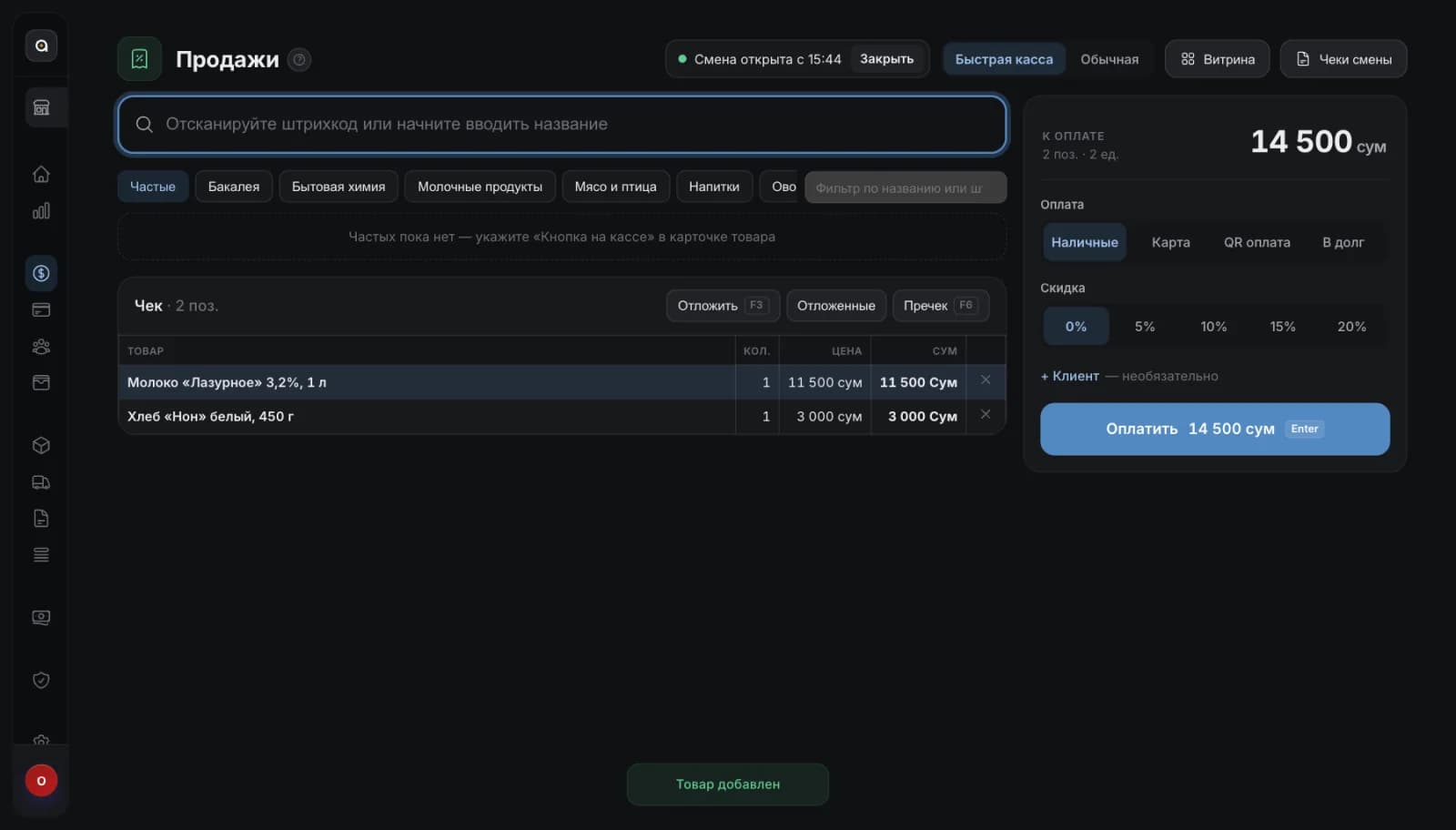
A cashier screen with nothing extra: find the item, pick the payment, close the receipt.
- Search by name and barcode
- Cash, card, QR payment and sales on credit
- Runs on a Windows computer
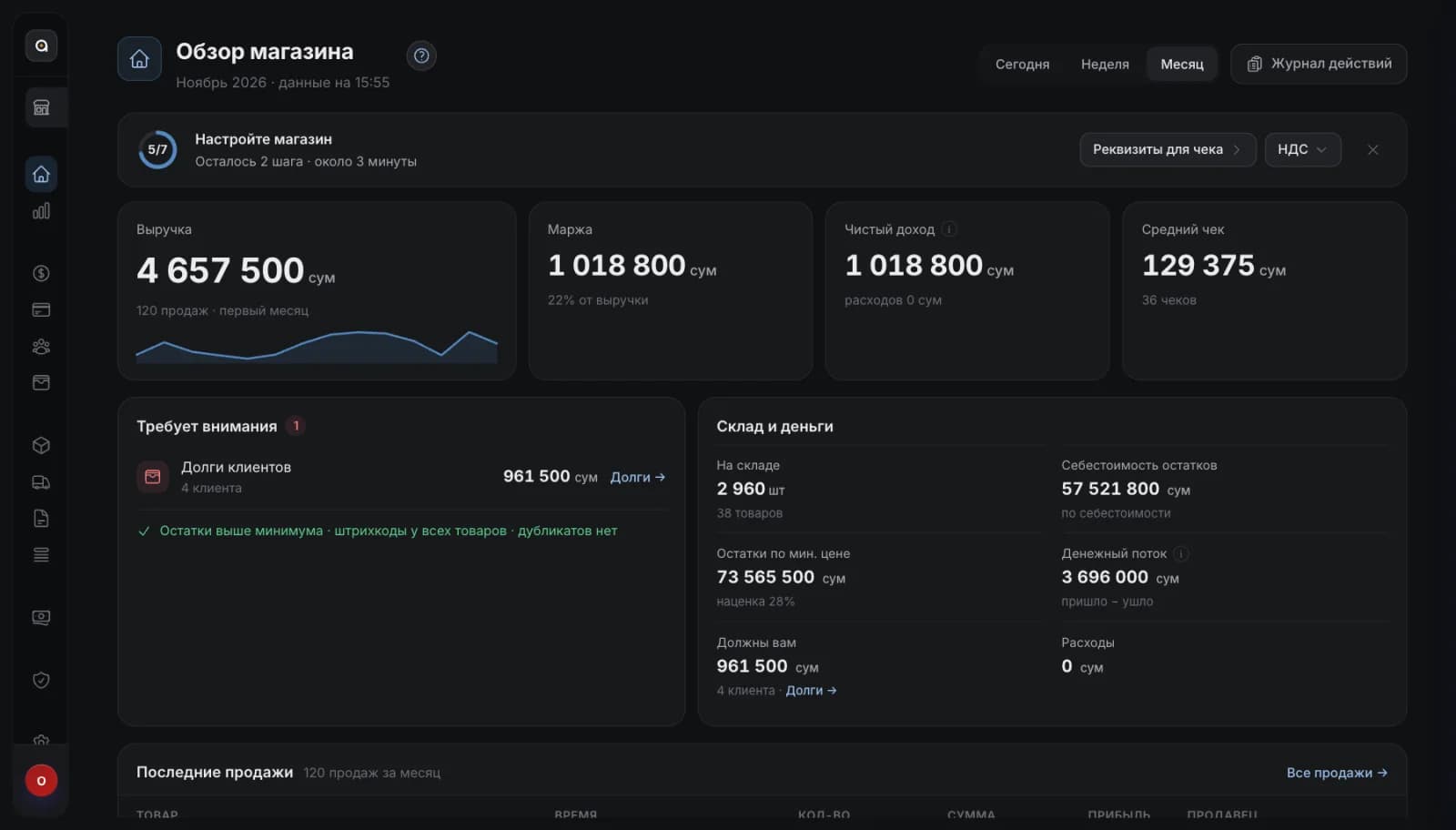
We set up Ankaa, our own point of sale and inventory product, in your store. The cashier sells in a couple of taps, stock counts itself, and the owner sees revenue and debts on one screen.
Four familiar retail problems, and what happens to them after launch.
One product instead of a set of separate programs. The screens are real: this is how it looks at work.
A cashier screen with nothing extra: find the item, pick the payment, close the receipt.
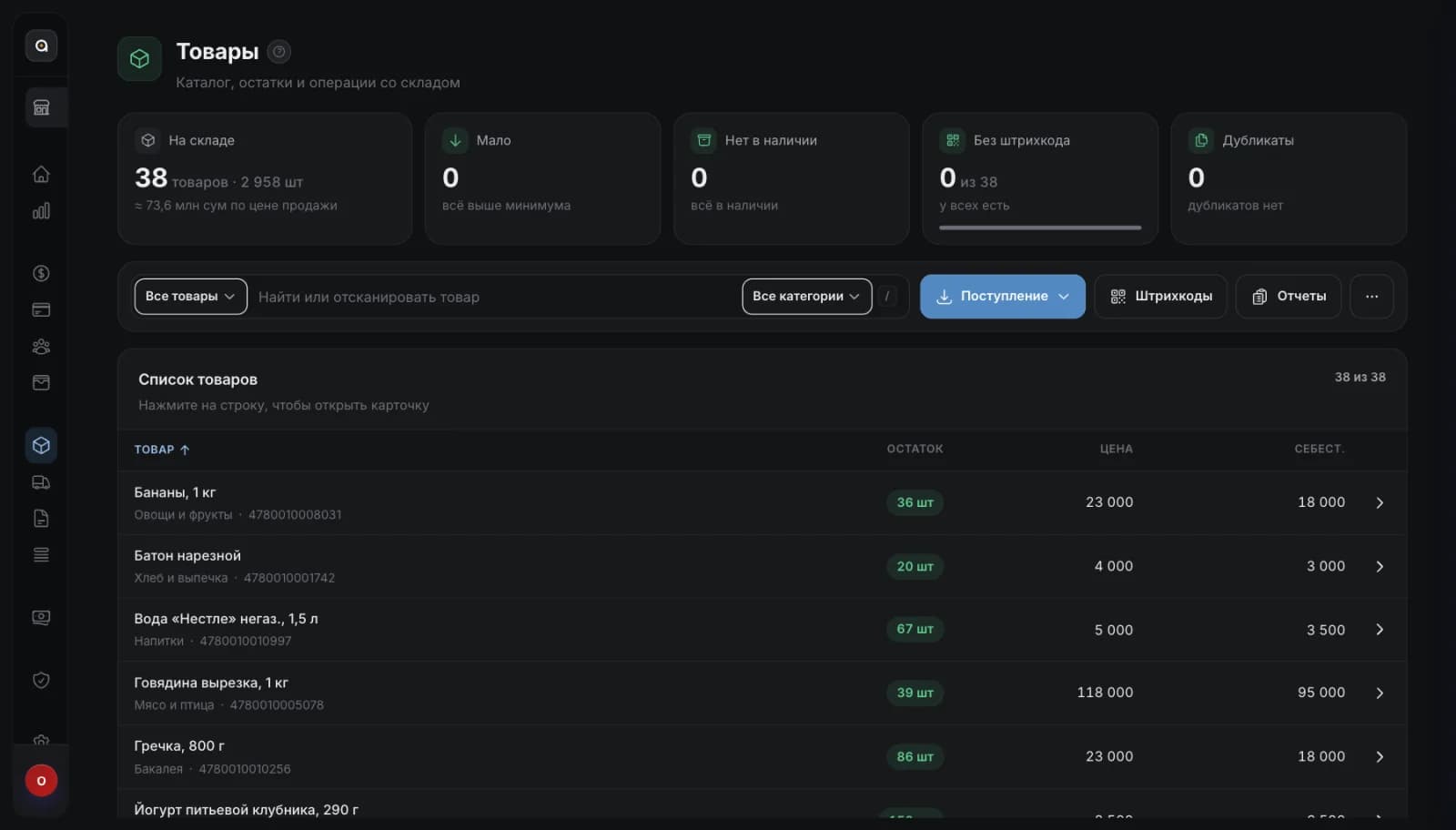
Item cards, supplier invoices and the stock level of every position.
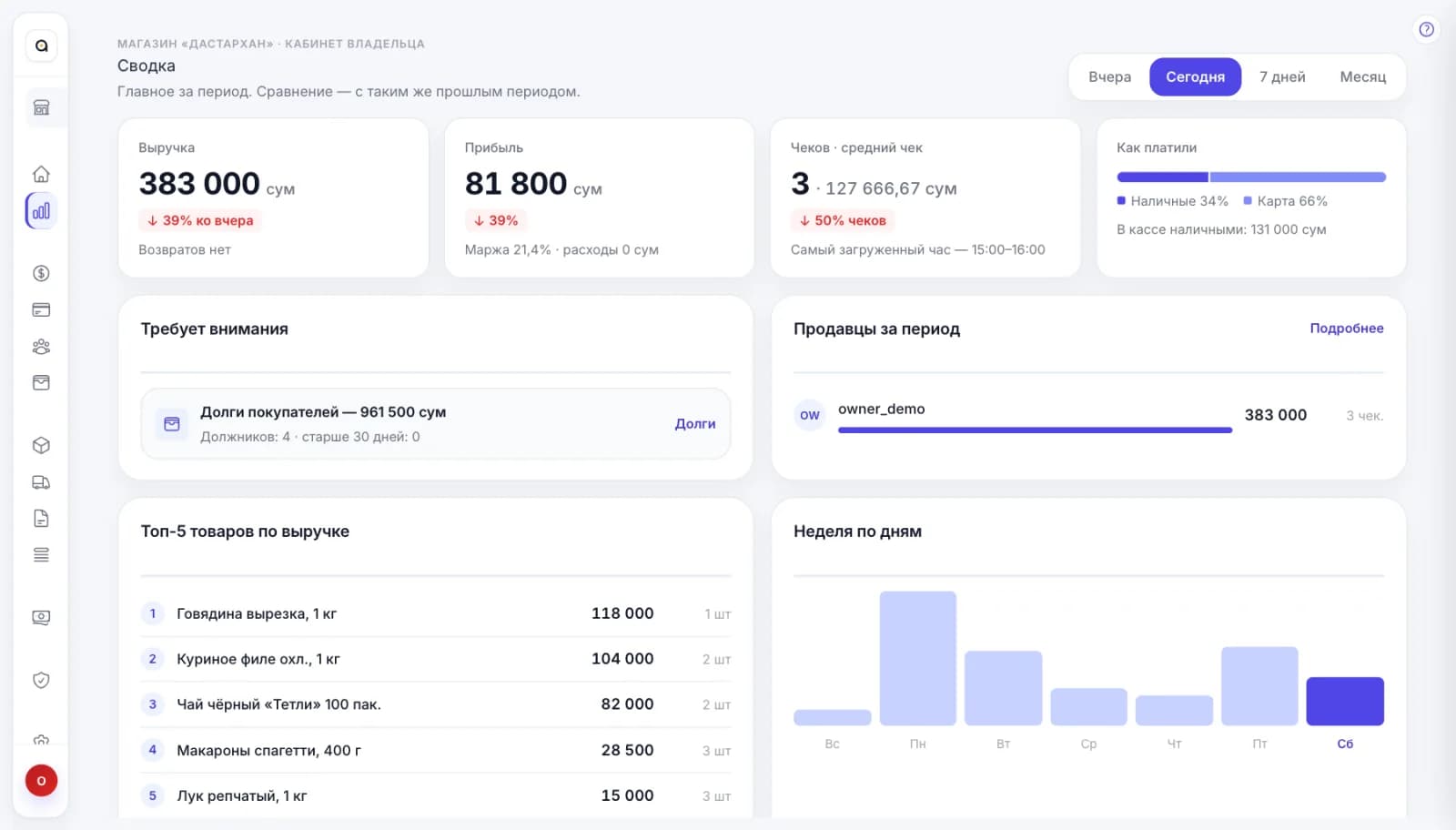
Revenue, profit, customer debts and best-selling items, with no reports built by hand.
We take the launch on ourselves, from installation to the cashier’s first working day.
We look at how the store works: items, suppliers, number of workplaces.
We install Ankaa on your computer and set up the cashier’s workplace.
We help enter items and stock and show the cashier and the owner how to work.
We stay in touch: updates, questions and changes for your store.
Not for selling: the till works offline.
English, Russian and Uzbek.
Plans are published on the product site, ankaa.uz. Leave a request and we will suggest the one that fits your store.
Yes, Ankaa Business: revenue, receipts and stock on the owner’s phone. It is coming soon to the App Store and Google Play.